At the start of term email is the best way to reach out to all of your students in Brightspace. Note: Once students have logged in for the first time, they will also receive your announcements to their email.
- Confirm that your course is “Active” and that the Start date has passed (please the How to Make Your Course Visible to Students FAQ)
- Click on the Classlist link found in the main Navigation bar
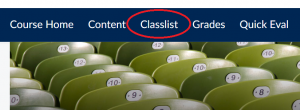
3. From the Classlist page, select the participants you would like to email, please see the tips below:
-
- Use the button at the top the list to select all participants listed on the page
- Display more users on the page by using the drop down list found at the bottom of the list
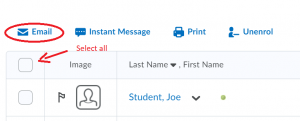
- Click Email and a pop-up window will open, compose your message, and click Send!